All work is tracked, and processed, from one location. The Orders button on the main MLS 12 window takes you to a screen showing all of the open workorders.
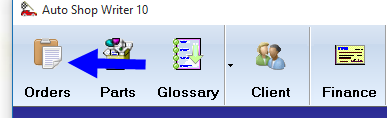
Initially you will be presented with the primary workorder screen. This will display all of the open workorders, and can also be used to find, and review, completed work.
For more detailed information, see:The Primary Workorder Manager
Double clicking on a highlighted workorder, will open it into The Workorder Development Screen where all related tasks are performed.
For more detailed information, see: The workorder development screen
Work Processing
Work Processing is the heart of MLS 2026.
Everything in the system ultimately flows through the workorder process:
•clients
•service units
•inventory
•labor operations
•scheduling
•recommendations
•preventative maintenance
•technician activity
•accounting
•merchant services
•follow up communication
•CRM activity
•historical tracking
•management analysis
The workorder is where all of these systems come together into one complete operational process.
More Than An Invoice
A workorder in MLS 2026 is not simply a printed invoice.
It is a complete management tool that helps your business:
•organize work efficiently
•communicate with clients
•track history
•improve technician productivity
•increase accuracy
•reduce missed charges
•identify future service opportunities
•build long term client relationships
The system is designed around the concept that information should only need to be entered one time. Once entered, that information becomes available throughout the entire MLS 2026 environment.
Integrated Information
When a workorder is created, MLS 2026 immediately provides access to:
•client history
•service unit history
•previous repairs
•prior recommendations
•preventative maintenance schedules
•notes
•photographs
•quotes
•appointments
•inventory availability
•labor glossary information
•pricing structures
•technician assignments
•accounting information
This allows your staff to make informed decisions while speaking with the client and preparing the estimate.
Improving Client Confidence
One of the strongest impressions you can make on a client is demonstrating that:
•you remember their service history
•you understand the unit
•you track prior concerns
•you anticipate future needs
•you communicate clearly
MLS 2026 helps present your business as organized, informed, and professional.
When a client realizes your staff already knows:
•what services were previously performed
•what recommendations were made
•what maintenance may now be due
•what concerns were noted previously
they immediately gain confidence in your operation.
Recommendations & Future Services
The work processing system is also designed to help your shop identify additional needed services in a professional manner.
MLS 2026 assists by:
•tracking recommendations
•monitoring preventative maintenance schedules
•calculating projected service intervals
•identifying overdue maintenance
•reviewing prior service patterns
•creating future reminders automatically
This helps the shop maintain strong communication with clients while improving long-term service retention.
From Estimate To Final Payment
The complete workflow inside MLS 2026 includes:
•appointments
•quotations
•estimates
•repair orders
•technician assignments
•labor tracking
•inventory usage
•recommendations
•final invoicing
•payment processing
•accounting integration
•follow up communication
Every stage works together automatically.
When properly used, the system dramatically reduces duplicate entry and improves operational efficiency throughout the business.
Historical Value
Every completed workorder becomes part of the permanent operational history of the business.
That information can later be used for:
•service history review
•warranty research
•recommendation tracking
•client communication
•profitability analysis
•marketing
•technician review
•inventory planning
•management reporting
Over time, this historical database becomes one of the most valuable operational assets of the company.
Designed Around Real Shop Workflow
MLS 2026 was designed from real-world shop experience.
The goal is not simply to create invoices.
The goal is to help the entire business operate more efficiently while improving communication, organization, professionalism, and profitability.
The sections that follow explain each stage of the Work Processing system in detail, beginning with the creation of estimates and workorders, and continuing through completion, payment, follow up, and long term management analysis.